How to Beat ATS Resume Filters and Get Hired in 2026

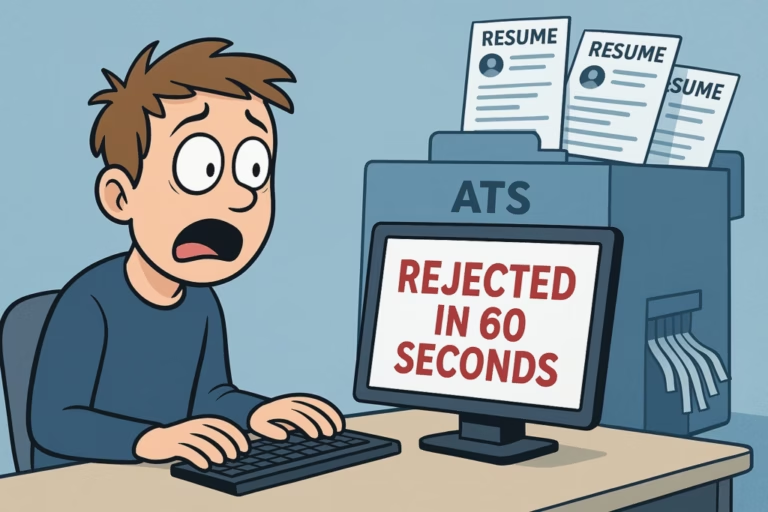
You apply for a job online, and suddenly you get a rejection email five minutes later. How did they read your application so fast? They didn’t. A human never saw it. A computer program called an Applicant Tracking System (ATS) scanned your resume and rejected it automatically. Because you don’t know how to beat ATS resume filters.
In 2026, most remote companies rely on AI-powered ATS tools to screen job applications before a recruiter ever sees them. If your resume isn’t formatted the right way, the AI gets confused and moves on to the next one.
The good news? You don’t need secret tricks. You just need to make your resume clean, simple, and easy for a computer to read. Let’s get into it.
Already know which skills to highlight? Make sure they’re the right ones first. Read our guide on AI-Proof Remote Skills That Companies Are Hiring For in 2026 before you update your resume.
What Is an AI-Powered ATS and How Does It Screen Your Resume in 2026?
An ATS is software that companies use to manage job applications. When you click “Submit,” your resume goes straight into this system — not into a recruiter’s inbox.
The system reads your resume, gives it a score, and ranks it against every other applicant. Only the top-scored resumes get forwarded to a human. Everyone else gets an automatic rejection.
How AI Parses and Reads Your Resume Text
The first thing the ATS does is “parse” your resume. This means it breaks your document into pieces — your name, your job titles, your skills, your dates. It reads from top to bottom, left to right, in a straight line.
If your resume has two columns, the AI reads the first line of the left column and the first line of the right column as one combined sentence. The result is complete nonsense to the bot — and your resume gets flagged.
Resume Keyword Matching: How AI Screening Systems Score You
After parsing, the ATS compares your resume to the job description. It looks for matching Keywords and phrases. The more matches it finds, the higher your score.
But in 2026, this is smarter than before. The AI now uses Natural Language Processing (NLP) — the same technology behind ChatGPT. This means it understands meaning, not just exact words. It knows that “led a team” and “managed a group of people” mean the same thing.
⚠️ The AI Copy-Paste Red Flag (2026): Recruiters now use tools to detect resumes written entirely by AI. If your resume uses words like “delve,” “testament,” “synergy,” “leverage,” or “moreover” too often, it gets flagged as a lazy AI-generated resume — and rejected instantly.
5 Mistakes That Get Your Resume Rejected by AI Resume Screening Systems
Avoid these mistakes.
Mistake 1: Using Graphics, Tables, and Fancy Formatting
If we make a resume using Canva templates, it may look good to us, but ATS systems often can’t read it properly. Progress bars, skill charts, icons, and columns can confuse the system, and important details from your resume may get missed.
Mistake 2: Saving Your Resume in the Wrong File Format
We should only send a PDF if the job posting clearly asks for it. Otherwise, we should use a .docx (Word) file, because some ATS systems still have trouble reading PDFs, while Word files are easier for them to process. Also read our guide Resume Format: PDF or Word? for better understanding.
Mistake 3: Keyword Stuffing
You might think that copying 50 keywords into a hidden white-text block at the bottom of your CV is a clever trick, but it doesn’t work anymore. Modern ATS systems can easily detect it. Instead of helping you, it can actually reduce your chances and lead to rejection.
Mistake 4: Using Creative Section Headings
Naming your experience section “My Professional Journey” sounds creative. To the ATS, it means nothing. The bot doesn’t know where your work history is and skips it completely. Always use standard headings. Boring wins here.
Mistake 5: Using Rare or Decorative Fonts
If the ATS doesn’t recognize your font, it can’t read your text. Stick to Arial, Calibri, Georgia, or Times New Roman. Also avoid fancy bullet symbols — arrows, stars, and checkmarks turn into broken symbols during parsing. Use plain round dots only.
How to Beat ATS Resume Filters Step by Step in 2026
Step 1 — Scan the Job Description for Hard Skills (10 minutes)
You should carefully read the job post and focus on the “Requirements” and “Responsibilities” sections. Note down any specific tools, skills, or qualifications that are mentioned more than once. These are your target keywords. For example: “Google Analytics,” “Project Management,” “Salesforce,” or “SEO strategy.”
Step 2 — Use Exact Keyword Matches Inside Real Sentences (15 minutes)
Take each keyword and place it inside a bullet point describing something you actually did. Don’t just list it. Show the AI how you used it. If the job wants “social media management,” write: “Handled social media management for 3 brand accounts, growing total followers by 40% in 6 months.”
Step 3 — Convert to a Single-Column Layout (5 minutes)
Delete all tables, sidebars, text boxes, and graphics. Move your entire text into one single vertical column flowing top-to-bottom. Use Arial or Calibri, size 11–12pt.
Step 4 — Switch to Standard Headings (2 minutes)
Rename your sections using only these universal titles so the bot doesn’t get confused:
- Professional Summary
- Work Experience (or Employment History)
- Core Skills
- Education
Step 5 — Run the Notepad Test (2 minutes)
Copy all the text from your resume and paste it into a plain Notepad file. Read it top to bottom. If the text flows perfectly without broken sentences or weird characters, your resume is 100% ATS-ready.
✅ Pro Tip: Include both the full name and short form of any acronym. Write “Search Engine Optimization (SEO)” so the AI matches both versions. Same for “Artificial Intelligence (AI)” or “Pay-Per-Click (PPC)”.
Before vs. After: Real Resume Examples
| ❌ Avoid This (Robotic & Vague) | ✅ Use This (Human, Clear & Quantified) |
|---|---|
| Utilized cutting-edge strategies to maximize content visibility. | Wrote 10 SEO blog posts per month that grew organic traffic by 35% in 90 days. |
| Tasked with managing schedules and optimizing team dynamics. | Used Trello to manage sprint timelines for a team of 6 engineers, delivering 3 projects on time. |
| Handled various client requests and performed data entry tasks as required. | Processed 100+ data entries daily in Salesforce with a 99% accuracy rate over 12 months. |
| Responsible for customer service and phone support duties. | Answered 40+ inbound customer calls daily and maintained a 95% satisfaction score. |
| Worked on social media and helped grow the company online presence. | Managed Instagram and LinkedIn for 3 brands, increasing combined followers by 40% in 6 months. |
Top Free Tools to Test Your Resume Against AI Filters
🔍 Jobscan — Paste your resume on one side, the job description on the other. It gives you an exact match percentage and tells you which keywords are missing. The most accurate tool available.
📊 Resume Worded — Scores your resume on formatting, impact, and readability. Flags weak verbs, AI-sounding language, and missing quantifiable results. Free tier is very useful.
🤖 ChatGPT (Free) — Use it to check if your bullet points sound human. Paste a section and ask: “Does this sound natural or like AI wrote it?” Then rewrite accordingly.
📝 Hemingway App — Checks your readability score. Aim for Grade 8 or lower. Short sentences score better and are easier for both AI and human recruiters to process quickly.
Free ATS-Friendly Resume Template (Copy & Paste)
[YOUR FULL NAME]
[Phone Number] | [Email Address] | [LinkedIn URL] | [City, Country]
PROFESSIONAL SUMMARY
A results-driven [Your Job Title] with [X] years of experience in [Your Industry].
Skilled in [Core Skill 1], [Core Skill 2], and [Core Tool]. Proven track record of
[Key Achievement — include a number]. Available for remote work full-time.
CORE SKILLS
- [Hard Skill 1] • [Hard Skill 4]
- [Hard Skill 2] • [Hard Skill 5]
- [Hard Skill 3] • [Hard Skill 6]
WORK EXPERIENCE
[Job Title] | [Company Name] | [Start Date] – [End Date]
- Achieved [Result] by using [Skill or Tool].
- Managed [Project or Task] and improved [Metric] by [Number or %].
- Worked with a remote team of [Number] to deliver [Project] on time.
[Job Title] | [Company Name] | [Start Date] – [End Date]
- Increased [Metric] by [%] through [specific action].
- Handled [Volume of work] using [Tool].
- Reduced [Problem] by [Number or %] by implementing [Solution].
EDUCATION
[Degree Name] | [University/Institute Name] | [Year]
CERTIFICATIONS (Optional)
- [Certification Name] — [Issuing Body] | [Year]
📥 How to use: Copy the text above, paste into Microsoft Word, save as .docx. Do not add colors, borders, or columns. Plain text gets you through the AI filter.
Conclusion
Beating an AI filter isn’t about outsmarting a robot. It’s about removing everything that confuses it. If you understand how to beat ATS resume filters, the focus should be on a clean layout, real numbers, and job-matched keywords — so your resume actually reaches a human. Learn exactly how to explain a career gap on your resume without losing hiring managers’ trust.
Quick recap:
- Single-column layout — no tables, no graphics
- Save as .docx format
- Standard section headings only
- Keywords inside real sentences, not lists
- Every bullet point has a number or percentage
- Write like a real person — not an AI
- Test with Jobscan or Resume Worded before applying
📌 Next Read: Now that your resume is ready, make sure you’re applying to legitimate jobs. Read our guide on How to Spot AI-Generated Fake Remote Job Scams on Upwork and LinkedIn (2026) before you start applying.
Is your CV ready? Start applying now. Explore verified remote jobs on RemotelyUp and apply today →
Frequently Asked Questions
The AI doesn’t care about length. But humans do. After passing the filter, a recruiter still reads it. Keep it to 1 or 2 pages maximum.
Use it as a helper, not a ghostwriter. Grammar checks and rewording — fine. A full AI-written resume — recruiters’ detection tools in 2026 will catch it.
Yes, at least partially. Spend 20–30 minutes per application adjusting your keywords and summary to match that specific job description. A tailored resume scores significantly higher than a generic one.