Resume Format: PDF or Word? What Hiring Managers Prefer

Resume format PDF or Word: PDF is the best option for your resume because it looks the same on every device, stays neat, and is accepted by most ATS systems.
Use Word (.docx) only if the job clearly asks for it or needs an editable file.
For example: You’ve polished your resume. You’ve written a solid cover letter. Now you’re staring at the “attach file” button — and suddenly you’re second-guessing everything. PDF or Word? One attachment or two? Does the cover letter even matter?
Here’s the thing nobody tells you:
The way you submit your resume is just as important as what’s inside it.
A hiring manager recently revealed exactly what happens on their end when they receive your application. And honestly? It changes everything.
Let’s break it down — format by format, step by step.
How to Choose Between Resume Format PDF or Word
- Check the Job Instructions
Always start by reading the job post. If it asks for a specific format, follow it exactly.
- Use PDF for Direct Applications
For email submissions or direct hiring manager applications, choose PDF because it keeps your resume layout consistent and professional.
- Use Word for ATS or Recruiters
If you are applying through online portals or working with recruiters, use a simple Word (.docx) file for better compatibility.
- Keep Both Versions Ready
Maintain both PDF and Word versions so you can quickly switch based on the application type.
👉 Bonus Tip: To make your resume stronger, also read this guide on skills to put on a resume.
What Actually Happens When a Hiring Manager Opens Your Email
Most job seekers imagine this scenario:
Hiring manager opens email → reads cover letter carefully → opens resume → calls you.
The reality is completely different.
Here’s what actually happens — straight from someone who hires people:
“If I see two attachments, I will open the resume first. If the resume captures my attention, then I may — or may not — open the cover letter. More often than not, I won’t open it.”
Read that again.
Your cover letter — the one you spent two hours writing — might never get opened.
And it gets worse:
“If your resume fails to capture my attention, I will not waste time opening your cover letter. I’ll move on.”
This is the brutal reality of modern hiring. Recruiters and hiring managers are flooded with applications. They make split-second decisions. And your file format directly affects whether you even get those few seconds of attention.
So What’s the Smart Move?
The same hiring manager gives a clear answer:
Submit electronically? Send your resume as PDF. Write your cover letter inside the email body. No separate cover letter attachment.
This is the unique angle most resume advice completely misses. Everyone talks about what to write in a cover letter. Nobody talks about where to put it. And location matters more than content.
Why Cover Letter in Email Body Actually Works
Think about reading behavior for a second.
When someone opens your email, their eyes go to the text first — before they click any attachment.
So if your cover letter is in the email body, they will at least skim it before opening your resume.
That’s your first impression. That’s your foot in the door.
But if your cover letter is a separate attachment? It becomes the second thing they might open. After the resume. If they still have energy. If you impressed them enough.
That’s too many “ifs.”
Writing your cover letter in the email removes those ifs.
The Two-Attachment Problem Nobody Talks About
Here’s something that happens in real hiring scenarios every single day.
A candidate sends:
- Resume.pdf
- CoverLetter.pdf
The hiring manager opens Resume.pdf first.
Scenario A: Resume is impressive. Hiring manager thinks “I’ll look at the cover letter later.” They move to the next candidate. They forget. Your cover letter was never read.
Scenario B: Resume is weak. Hiring manager closes it. Moves on. Cover letter never opened.
In both scenarios — your cover letter lost.
Now imagine this instead:
Hiring manager opens your email. Your two-paragraph cover letter is right there. They skim it. It’s sharp, confident, and specific. Now they’re interested and they open your resume with positive intent.
That’s a completely different energy going into your resume review.
PDF or Word – The Resume Format Decision Explained Properly
Now let’s talk about the actual file format question — with full context.
Why PDF Wins for Electronic Submissions
When you submit electronically — via email or a company portal — PDF is almost always the right choice.
Here’s why:
1. Your Formatting Stays Locked
PDF preserves every font, every margin, every spacing decision you made. A Word document? It can look completely different on another person’s computer, phone, or older software version.
Your perfectly aligned resume could become a jumbled mess.
2. It Looks Professional
PDF signals that you’re intentional. You know what you’re doing. Small thing — but hiring managers notice.
3. It Cannot Be Accidentally Edited
When you send a Word file, anyone can change it. Content can shift. Formatting can break. With PDF, what you send is what they see.
4. It Works Across All Devices
Hiring managers don’t always read resumes at their desk. Many review on phones or tablets. PDF renders consistently everywhere.
When Word Format Actually Makes Sense
PDF isn’t always the answer. Here are the specific situations where Word is the smarter choice:
When the Job Posting Specifically Asks for It
Simple rule: follow instructions. If they want Word — send Word. No exceptions.
When You’re Working With a Recruiter
Recruiters often reformat resumes before presenting them to clients. They need an editable file. Send Word, always.
When Applying Through ATS-Heavy Portals
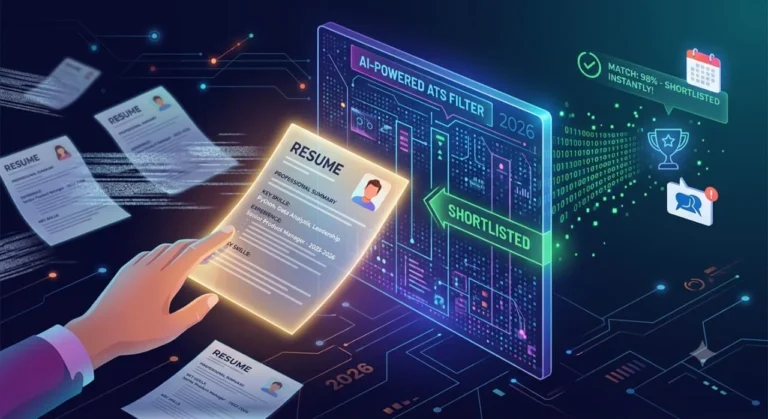
This is where most people get confused. ATS — Applicant Tracking System — is the software that scans your resume before a human ever sees it.
Some ATS systems struggle to read PDFs properly, especially if your resume has:
- Multiple columns
- Text boxes
- Icons or graphics
- Tables
- Headers and footers
When ATS can’t parse your PDF, your information gets scrambled or missed entirely. A clean, simple Word document works better in these cases.
The ATS Reality Check
Here’s a number that should concern every job seeker:
Over 75% of resumes are filtered out by ATS before reaching a human.
Your format plays a direct role in this.
The smartest approach? Keep two versions of your resume:
| Version | Format | Use For |
|---|---|---|
| Version A | Clean PDF | Direct emails, professional applications |
| Version B | Simple Word (.docx) | Online portals, ATS systems, recruiters |
Version A looks great to human eyes.
Version B is optimized to be read by machines.
Both serve a different purpose. Both are necessary.
The Cover Letter Strategy — Done Right
Since we established that a separate cover letter attachment often goes unread — let’s talk about how to actually write one that gets seen.
Keep It in the Email Body
This is non-negotiable for electronic submissions. Your email IS your cover letter.
Length: Two Paragraphs Maximum
The hiring manager was direct about this:
“Keep your email/cover letter short — only a couple of paragraphs. Longer than that, I won’t read it at all.”
Two paragraphs. That’s your limit.
What Goes in Those Two Paragraphs?
Paragraph 1: Who you are, what role you’re applying for, and one specific reason you’re a strong fit. Be direct. No fluff.
Paragraph 2: One concrete result or achievement that’s relevant to the role. Then a simple call to action.
That’s it. Short. Sharp. Specific.
Example Structure:
“I’m applying for the [Position] role at [Company]. With [X years] of experience in [relevant field], I’ve consistently [specific achievement]. I believe this directly aligns with what your team is working on.
Most recently, I [specific result with numbers if possible]. I’d welcome the chance to discuss how I can bring similar results to [Company]. My resume is attached for your review.”
Clean. Confident. Human.
Quick Decision Framework
Am I emailing a person directly?
→ YES → PDF resume + cover letter in email body

Did the posting ask for Word?
→ YES → Send Word, follow their instructions

Am I uploading to an online job portal?
→ YES → Clean Word file, simple formatting

Am I sending to a recruiter?
→ YES → Word format, easy to edit

Is my resume design-heavy with graphics?
→ YES → PDF for humans, separate clean
         Word version for portals
Resume Format PDF or Word – 5 Common Mistakes Candidates Make
1: Attaching a Separate Cover Letter
As we’ve established — it probably won’t get opened. Write it in the email instead.
2: Sending a Fancy PDF Through ATS Portals
Complex PDF layouts break ATS parsing. Your perfect-looking resume becomes unreadable data. Use a clean Word file for portals.
3: Writing a Three-Paragraph Email Introduction
Nobody reads long emails from unknown candidates. Two paragraphs maximum. Every extra line reduces your chances.
4: Having Only One Resume Version
You need both formats ready. Switching back and forth last minute causes formatting errors and wasted time.
5: Ignoring Submission Instructions
If the posting says Word — send Word. If it says PDF — send PDF. Following instructions is itself a signal to employers that you pay attention to details.
👉 For more detailed and trusted guidance on resume writing, check these resources: Purdue OWL Resume Guide
The Bigger Picture: First Impressions Are Format Decisions
Here’s the insight most resume guides miss completely:
Your resume format is a communication decision — not just a technical one.
When you send a clean PDF directly to a hiring manager, you’re communicating:
- I’m professional
- I’m intentional
- I know how to present information
When you write a sharp, two-paragraph cover letter in the email body, you’re communicating:
- I respect your time
- I know how hiring actually works
- I’m not like other candidates
These signals matter before anyone reads a single word of your actual experience. For beginners, you can also check how to create a resume with no work experience to build a strong starting profile.
Conclusion
The best choice for resume format PDF or Word depends on how you are applying. For direct applications, PDF is usually the safest option because it keeps your formatting intact and looks professional.
However, for ATS systems, recruiters, or when a job specifically asks for it, Word (.docx) is often the better choice. Keeping both versions ready ensures you are prepared for any application type.
The candidates who understand how hiring managers actually read applications — not just what to write — are the ones who get called back.
Now you’re one of them. 👉 For better results, also check how to use the right keyword for resume to improve your chances of getting shortlisted.
FAQs Resume format PDF or Word
Write it in the email body because separate attachments are often ignored. Moreover, hiring managers first check the resume, and if it doesn’t impress them, the cover letter is skipped.
Two paragraphs maximum because hiring managers don’t read long emails from unknown candidates. Be brief, specific, and respect their time.
For ATS systems, a simple Word (.docx) file works better because complex PDF formatting can confuse the system and, as a result, your information may be missed or misread.
For direct emails, use PDF; for online portals, ATS systems, and recruiters, use a clean Word file. Keep both versions ready.
Default to PDF for direct applications and write your cover letter in the email body, as this matches how hiring managers usually review applications.