Keywords for Resume: Beat ATS & Increase Interview Calls in 2026

Resume keywords are the specific words and phrases that match your skills with a job description.
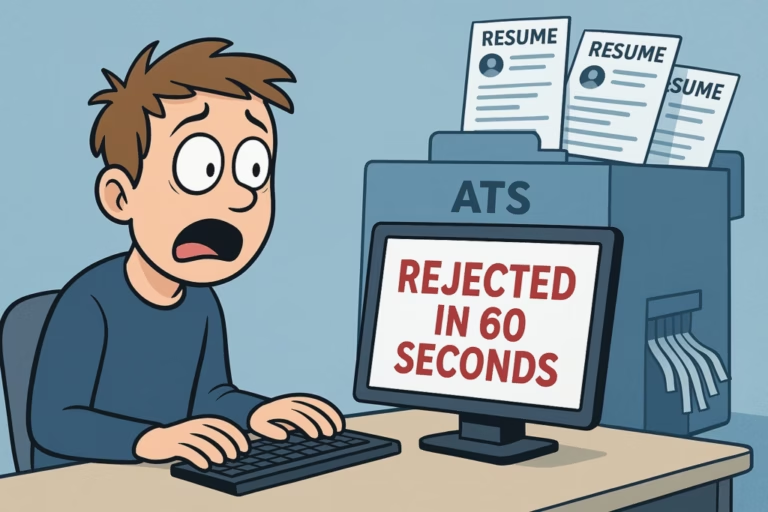
They help you pass ATS resume and increase your chances of getting interviews. You are not getting callbacks because your CV is missing the right keywords for resume scanners.
Fix this by matching your skills exactly to the job description to beat the ATS system.
Most companies use software called an Applicant Tracking System (ATS) to filter applications. If your resume lacks specific words, a human never sees it. But this is fixable. In this guide, you will learn exactly what resume terms are and how to use them to land more interviews in 2026.
What Are Resume Keywords ?
Simply put, keywords are words that match the job description. They describe your skills, tools, and qualifications.
For example, if a job post asks for “SQL” and “Excel,” those are your keywords. The ATS scans for these exact matches. If they are missing, you get filtered out. Think of it like a lock and key. The job post is the lock. Your keywords are the key.
Why Do Keywords for Resume Matter in 2026?
In 2026, competition is high. Studies show 98% of large companies use an ATS. Your resume goes through a computer first. If the computer does not find matching words, you are rejected automatically. So, using the right words is not optional. It is necessary.
How Does an ATS Read Your Resume?
When you apply, the ATS converts your resume into plain text. It ignores colors and fonts. It only sees words. Then, it compares your words to the job description. It gives you a match score. High scores get interviews. Low scores get deleted. That is why placement matters.
What CV Terms Are Needed for a Resume?
What words should you pick? It depends on the job. But there are four main types you always need.
| Keyword Type | Examples | Best Place to Use |
|---|---|---|
| Hard Skills | Data Analysis, SQL, Accounting, Coding | Skills Section & Summary |
| Soft Skills | Communication, Leadership, Teamwork | Work Experience & Summary |
| Job Titles | Marketing Manager, Data Analyst, Nurse | Headline & Work History |
| Tools & Software | Excel, Salesforce, Python, Photoshop | Skills Section & Experience |
| Certifications | PMP, CPA, Google Certified, MBA | Education & Summary |
Technical Skills Keywords
These are hard skills. They are specific and measurable. The ATS searches for these most often.
Examples include:
- Data: SQL, Python, Excel
- Design: Adobe Photoshop, Canva
- Marketing: SEO, Google Ads
- Finance: QuickBooks, Financial Reporting
If the job requires these, they must be on your resume. Use the exact terms from the post.
Soft Skills Keywords
These are people skills. They show how you work. Examples include communication, leadership, and teamwork.
Tip: Do not just list them. Prove them. Instead of writing “good communicator,” write: “Led weekly team meetings and presented reports.” This shows the skill in action.
Job Title Keywords
The ATS searches for job titles. If the post says “Content Writer,” use that phrase. If your past title was different but similar, you can clarify it in your summary. This helps the system match you correctly.
Education and Certification Keywords
Some jobs require specific degrees. List them exactly as shown in the job post. For example: “Bachelor of Science in Computer Science.” Always write both the full name and abbreviations (like CPA or PMP). Some systems search for one or the other.
Which Resume Keywords Should I Use?
The best source is the job description. The employer tells you exactly what they want. Here is a simple 3-step process.
Step 1 — Start With the Job Description
Read the job post slowly. Look for required skills, tools, and duties. Do not skip the “preferred qualifications” section. These are gold mines for extra words.
Step 2 — Highlight Matching Words
Copy the job description into a document. Highlight every skill you honestly possess. For example, if they want “Calendar Management” and you have done it, highlight it. This creates your keyword list.
Step 3 — Group Them Into Skills and Experience
Divide your list into two groups.
| Skills | Experience |
|---|---|
| Microsoft Office | Calendar management |
| QuickBooks | Data entry |
| Communication | Supporting senior staff |
Also read our guide skills to put on a resume.
Where to Place the Right Words on Your Resume
Finding words is step one. Placing them is step two. Here are the four best spots.
Resume Summary
Your summary is at the top. It is the first thing read. Include your top keywords here naturally.
Example:
“Detail oriented administrative assistant with 5 years of experience in calendar management and Microsoft Office.”
This hits key terms immediately.
Skills Section
Create a dedicated skills section. List your top abilities clearly.
Technical Skills:
Microsoft Office | QuickBooks | Data Entry
Soft Skills:
Communication | Organization | Time Management
This makes it easy for the ATS to scan quickly.
Work Experience Section
Use action verbs plus keywords. Do not just list duties. Describe achievements.
❌ Weak: “Helped with office tasks.”
✅ Strong: “Managed daily calendar scheduling for a team of 10 using Microsoft Office.”
The strong version is packed with relevant words and proves your value.
Cover Letter
ATS systems often scan cover letters too. Include 3 to 5 important words naturally. Do not force them. Just let them flow into your sentences.
Should I Bold Keywords for My Resume?
Yes, but only for humans. The ATS reads plain text. Bolding does not help your match score. However, it helps hiring managers skim your resume faster. Bold key tools or skills sparingly. Do not bold everything. It looks messy.
Resume Keyword Optimization Tips for 2026
Want to rank higher? Follow these three tips.
- Use Exact Phrases From the Job Post
The ATS looks for exact matches. If they say “Social Media Management,” do not write “Managing Social Platforms.” Write exactly what they wrote. Small changes cause mismatches.
- Use Synonyms to Cover More Ground
Include related words too. For example, use both “ATS” and “Applicant Tracking System.” Use both “Work History” and “Professional Experience.” This covers more search variations.
- Tailor Your Resume Every Single Time
Never send the same resume to every job. Each job is different. Adjust your summary and skills for each application. Tailored resumes get more interviews. It takes time, but it works.
5 Hidden Places to Put Keywords (Most People Miss These)
You know about the summary and skills section. But there are other spots where keywords work wonders. Most job seekers forget these areas. Do not make that mistake.
| Hidden Spot | How to Use Keywords | Why It Matters |
|---|---|---|
| Resume File Name | Save as John_Doe_Marketing_Manager.pdf | Recruiters see this before opening the file. |
| LinkedIn Headline | Match your resume summary exactly | Recruiters often check LinkedIn after scanning. |
| Projects Section | List specific tools used in projects | Shows practical application of hard skills. |
| Volunteer Work | Include leadership and team skills | Great for soft skills and gap filling. |
| Languages Section | List languages if relevant to the job | Helpful for global companies or support roles. |
These small details add up. They make your profile stronger across all platforms.
Common Keyword Mistakes Job Seekers Make
Avoid these errors to stay safe.
- ❌ Images for Skills: ATS cannot read images. Use text only.
- ❌ Only Acronyms: Write “Search Engine Optimization (SEO).” Some systems miss abbreviations.
- ❌ Keyword Stuffing: Do not repeat words too much. It looks fake.
- ❌ Ignoring Preferred Skills: Include preferred qualifications if you have them.
- ❌ Generic Summary: Customize your summary for every job.
- ❌ Complex Formatting: Avoid columns and text boxes. Keep it simple.
Free Tools to Find the Right Resume Words
You do not need to spend money. Use these free tools.
| Tool | What It Does | Cost |
|---|---|---|
| Jobscan | Compares resume to job post | Free basic |
| ResumeWorded | Gives keyword suggestions | Free trial |
| Skillsyncer | Scans resume against jobs | Free |
| Word Cloud | Shows most used words | Free |
Paste a job description into a word cloud tool. The biggest words are your top keywords.
Final Thoughts
Finding a job in 2026 is competitive. But you can win by working with the system. The ATS is just a tool. Use it to your advantage.
Here is what Using the right keywords for resume is the key to passing ATS and getting more interviews. When you match your CV with the job description, focus on relevant skills, and place keywords in the right sections, you significantly increase your chances of being shortlisted.
Keep your resume natural, tailored, and keyword-optimized for every job you apply to.
to remember. Also read write a resume with no work experience.
The right words open doors. So go back to that job posting. Start highlighting. Start tailoring. And start getting the interviews you deserve.
You have got this. Good luck. 🎯
Frequently Asked Questions
These are exact words and phrases from the job description that ATS software searches for. They can be skills, tools, job titles or certifications.
Technical skills first. 90% of all ATS filters are set on technical skills like Excel, SQL, Salesforce. Soft skills are almost never used for filtering.
Use every relevant keyword once or twice. That is more than enough. Any more is keyword stuffing and will hurt you.
No. ATS searches for exact matches. If the job says “project management” do not write managing projects.
Yes. Always. One generic resume will fail 99% of the time. Tailor your keywords for every single job you apply to.
Yes, CV keywords help your pass ATS and get seen by recruiters.